Backup Compliance Dashboard
Backup compliance is a critical component of database security and an important requirement for many security and regulatory frameworks. Regularly monitoring backup activities helps organizations maintain data protection standards, identify potential compliance gaps, and ensure backup operations follow established policies.
KloudDB Shield provides comprehensive backup compliance monitoring by tracking popular PostgreSQL backup utilities, including pg_dump, pg_dumpall, pg_basebackup, and pgBackRest. This enables organizations to maintain visibility into backup activities and identify potential security and compliance violations.
Installation and Configuration
For detailed installation and configuration instructions, refer to the pg_backup_compliance Extension Documentation.
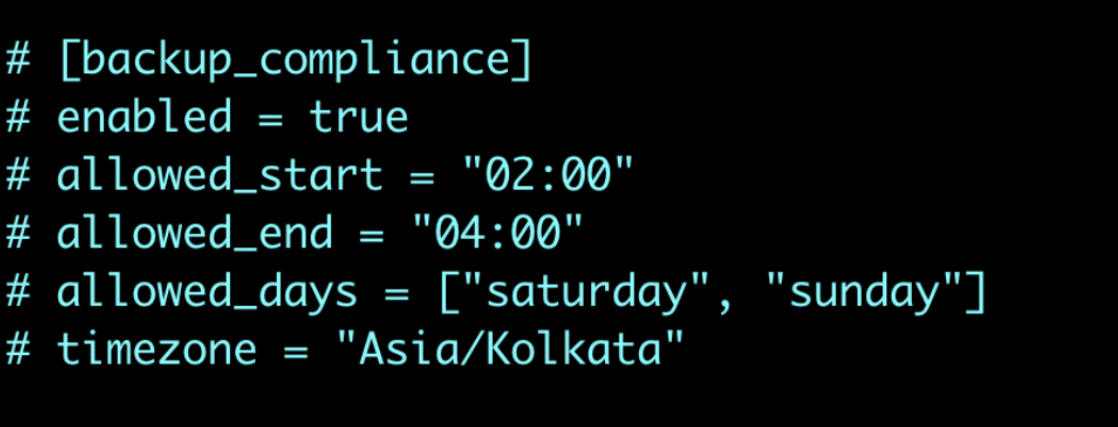
Once the extension is successfully installed, add the following configuration section to the collector configuration file on each PostgreSQL node to enable backup compliance monitoring.
Global Backup History Dashboard
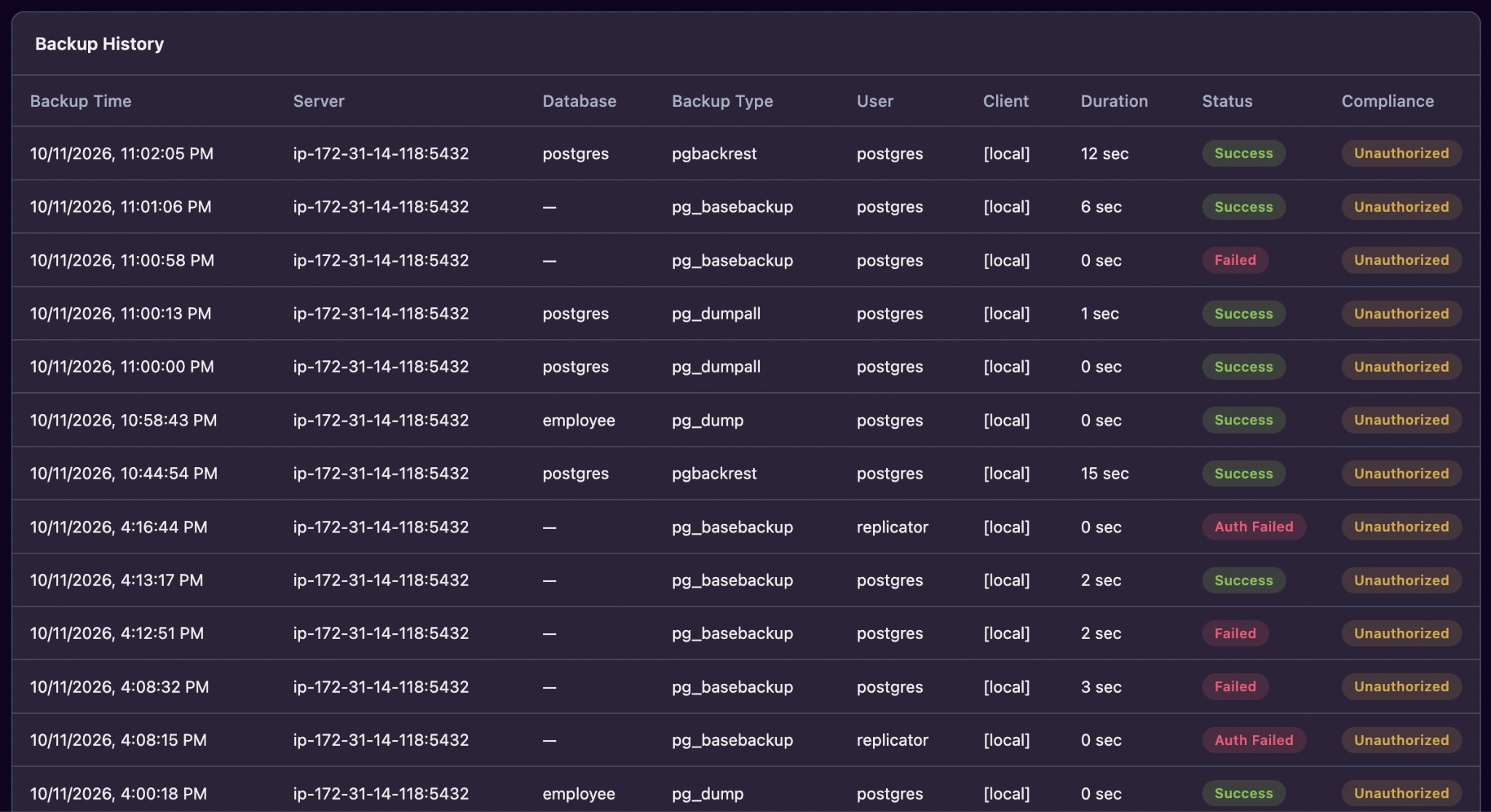
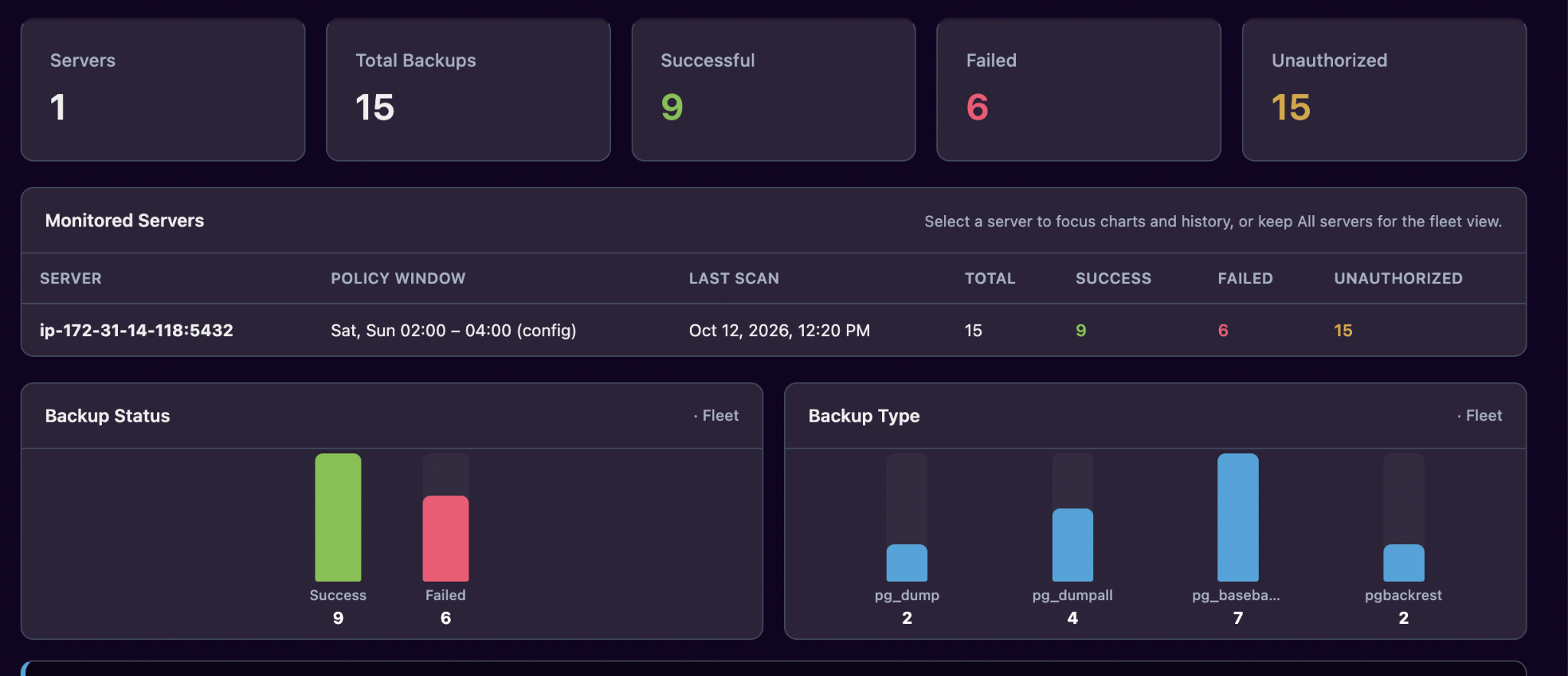
The Global Backup History Dashboard provides a centralized view of backup activities across all monitored PostgreSQL servers.
Instead of reviewing backup history on individual database servers, administrators can monitor and analyze backup operations across their entire PostgreSQL infrastructure from a single dashboard.
This centralized visibility simplifies backup auditing, helps identify unusual backup activity, and supports compliance reporting.
The screenshot below illustrates how the Global Backup History Dashboard presents backup activity across multiple PostgreSQL servers.
Unauthorized Backup Attempts
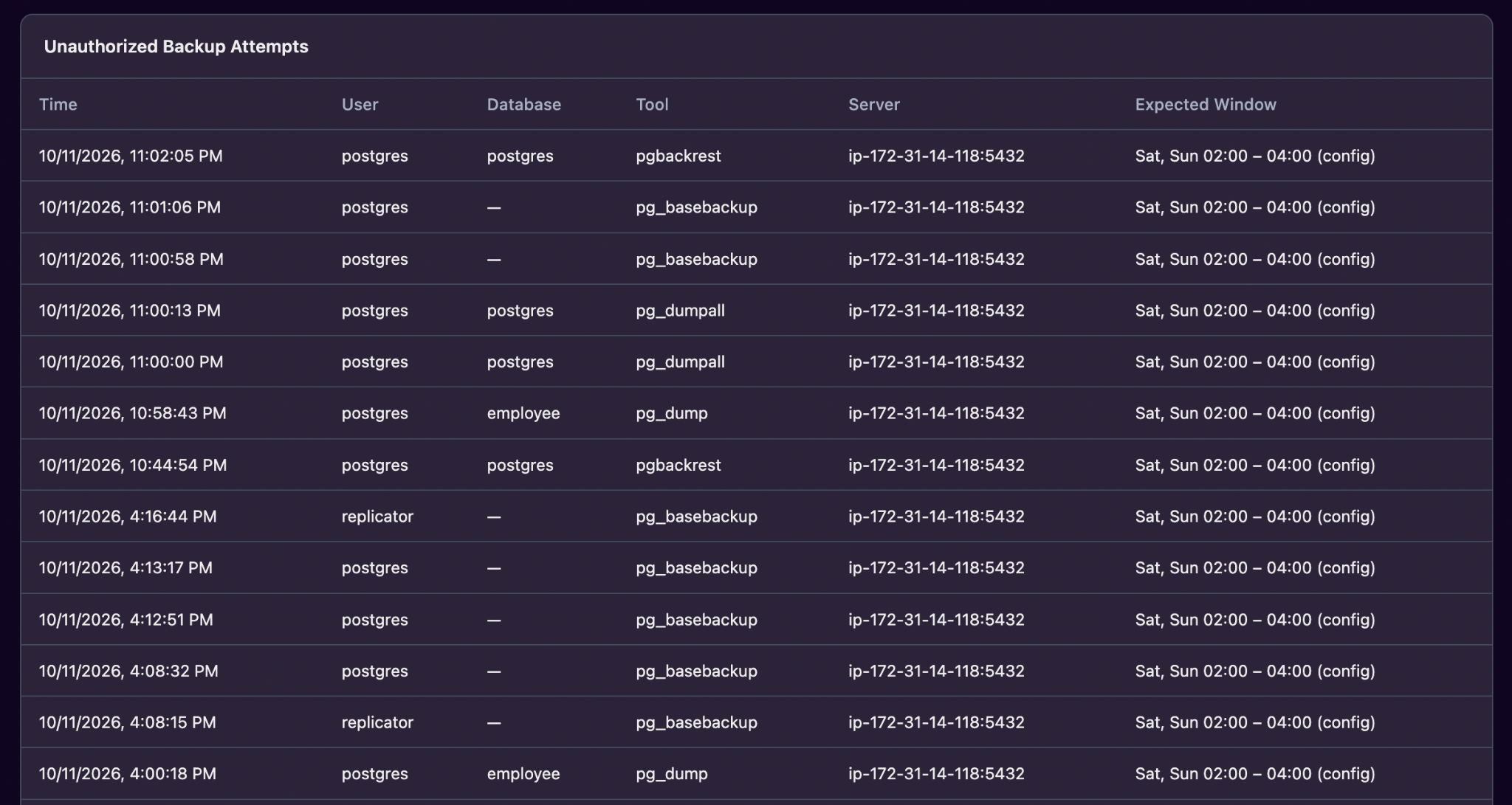
Database backups are typically scheduled during off-peak hours, such as nights or weekends, to minimize the impact on database performance. Organizations generally define specific authorized backup windows during which backup operations are permitted.
Monitoring and detecting backup attempts outside these predefined windows can help identify unauthorized or suspicious backup activities, strengthening database security and reducing the risk of potential data exfiltration.
You can configure the authorized backup window in the collector configuration file, as shown below:
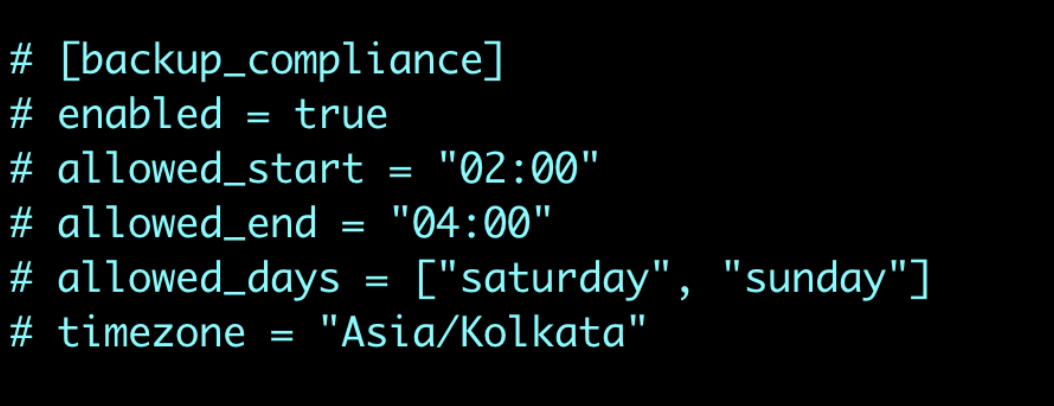
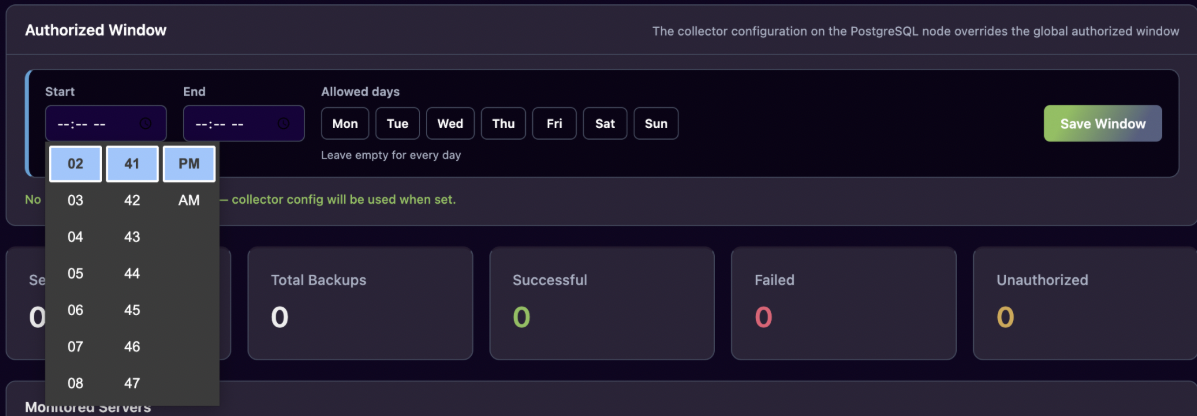
You can also set it on dashboard like below NOTE - Config in collector will override dashboard setting
Below is sample Unauthorized Backup Attempts report you would see once you configure properly