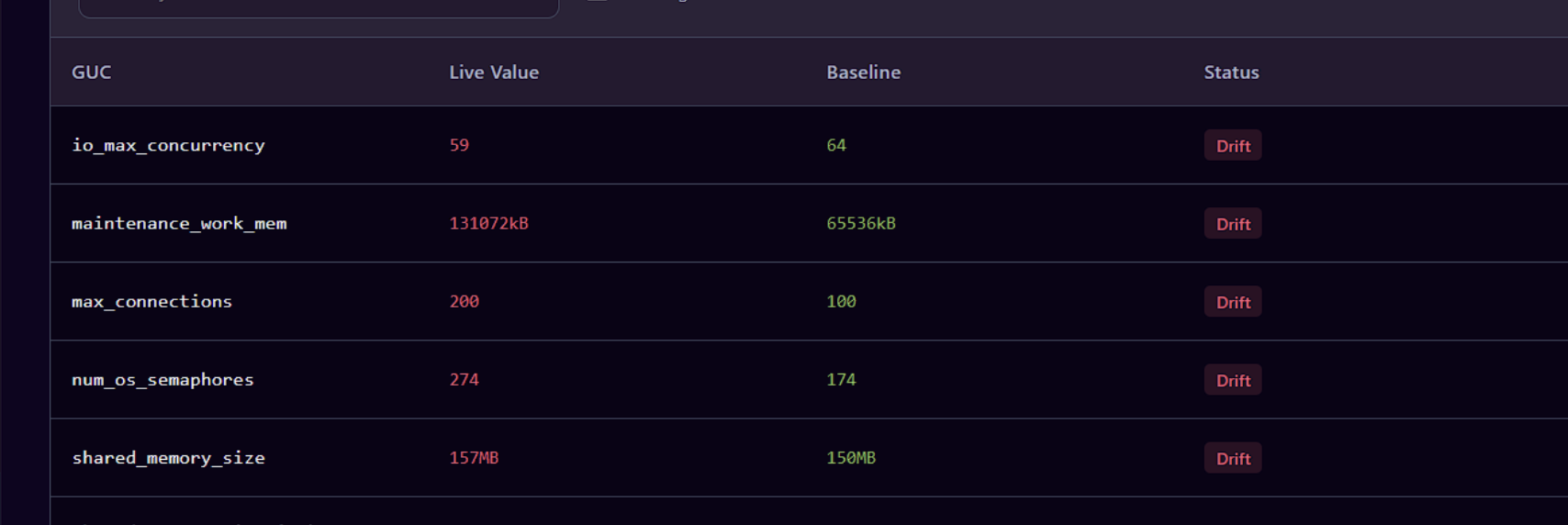
GUC Drift Detector (Configuration Drift)
Why Configuration drift detection is important ?
Configuration drift detection is important because a server can start secure and gradually become insecure through small configuration changes—often made for troubleshooting, performance, migrations, or temporary access
For example, suppose your approved production baseline requires SSL and pgAudit to remain enabled at all times. During troubleshooting, someone temporarily disables pgAudit but forgets to re-enable it. PostgreSQL continues to run normally, and the applications remain healthy, so the change may go unnoticed. However, your security posture has silently changed, potentially leaving important database activity unaudited.
Configuration drift detection is not limited to security. It is equally important for maintaining performance, reliability, compliance, and operational consistency
Using GUC Drift Detection in KloudDB Shield
Navigate to the GUC Drift dashboard from the left-hand navigation menu. Start by selecting a PostgreSQL server as the baseline server. The configuration of all other servers will then be compared against this baseline to identify configuration drift and highlight any differences in GUC settings
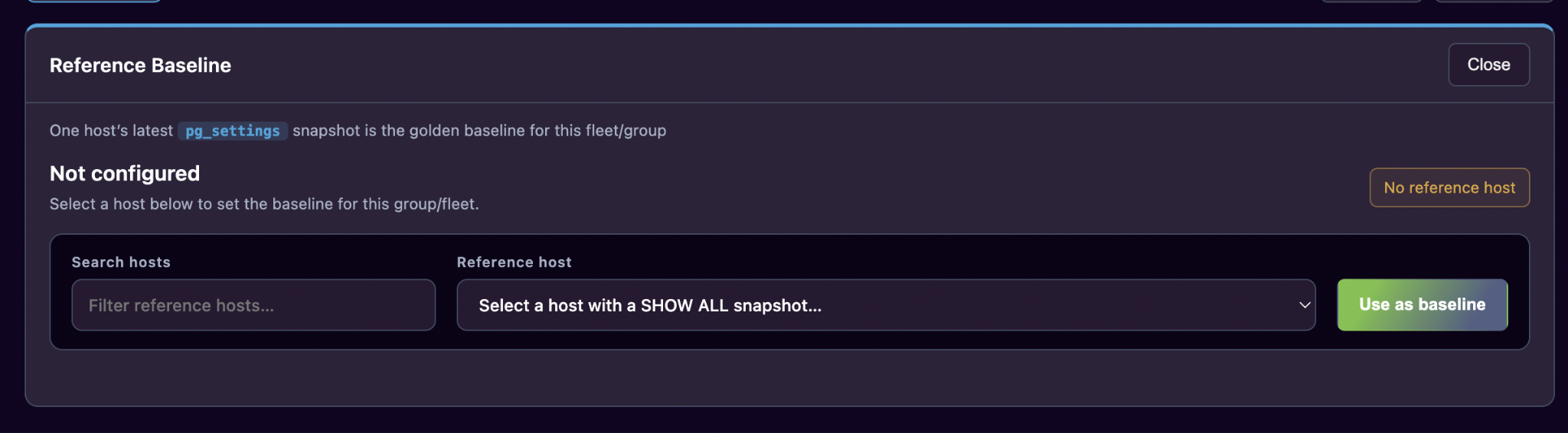
You can search for servers and select the host you want to use as baseline

Scenario 1 - Compare Two Identical Servers (No drift)
Objective
Verify that the application reports no drift when both servers have the same configuration.
Preconditions
- Server A and Server B must use the same PostgreSQL version.
- Both servers should have matching configuration values.
Steps
- Check the PostgreSQL configuration on Server A.
- Configure Server B with the same values.
- Run the GUC drift detector.
- Compare Server A with Server B.
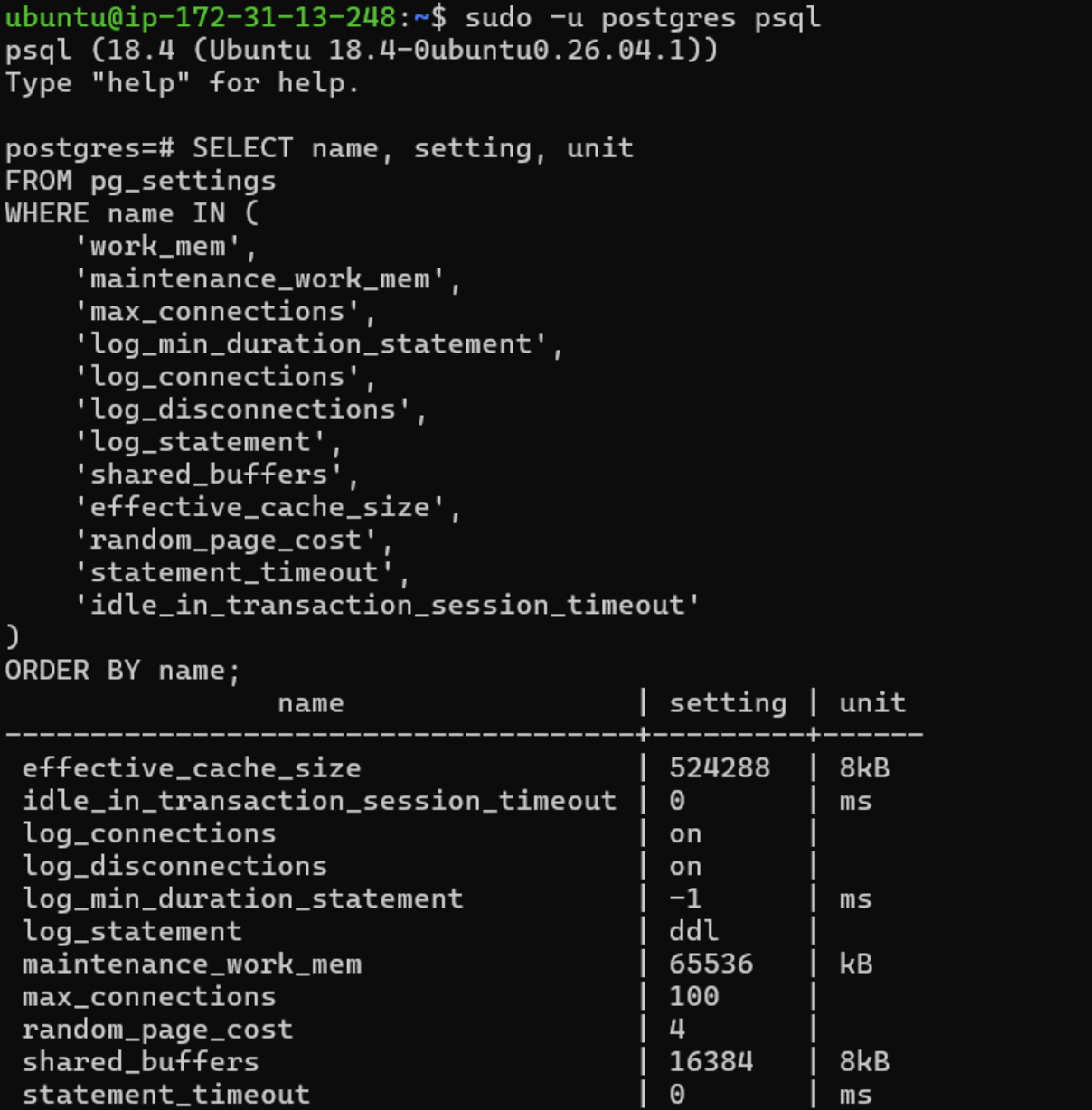
Both Server A and Server B has same config(as verified in below screenshot)
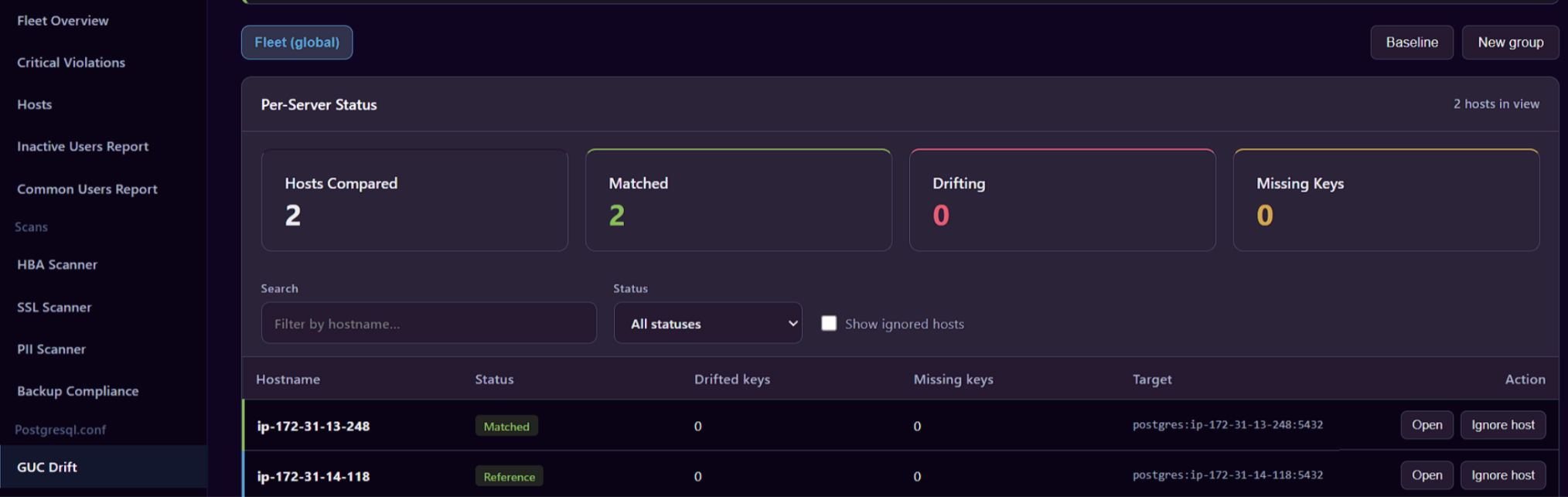
Dashboard below does not show any drift (as expected).. Drifting is zero in below screenshot
Scenario 2 - Detect a Single Configuration Difference
Objective
Verify that the application detects one changed configuration parameter.
Test Setup
On Server A:
SHOW work_mem;
On Server B, change work_mem to a different value.
Example:
Server A:
work_mem = 4MB
Server B:
work_mem = 16MB
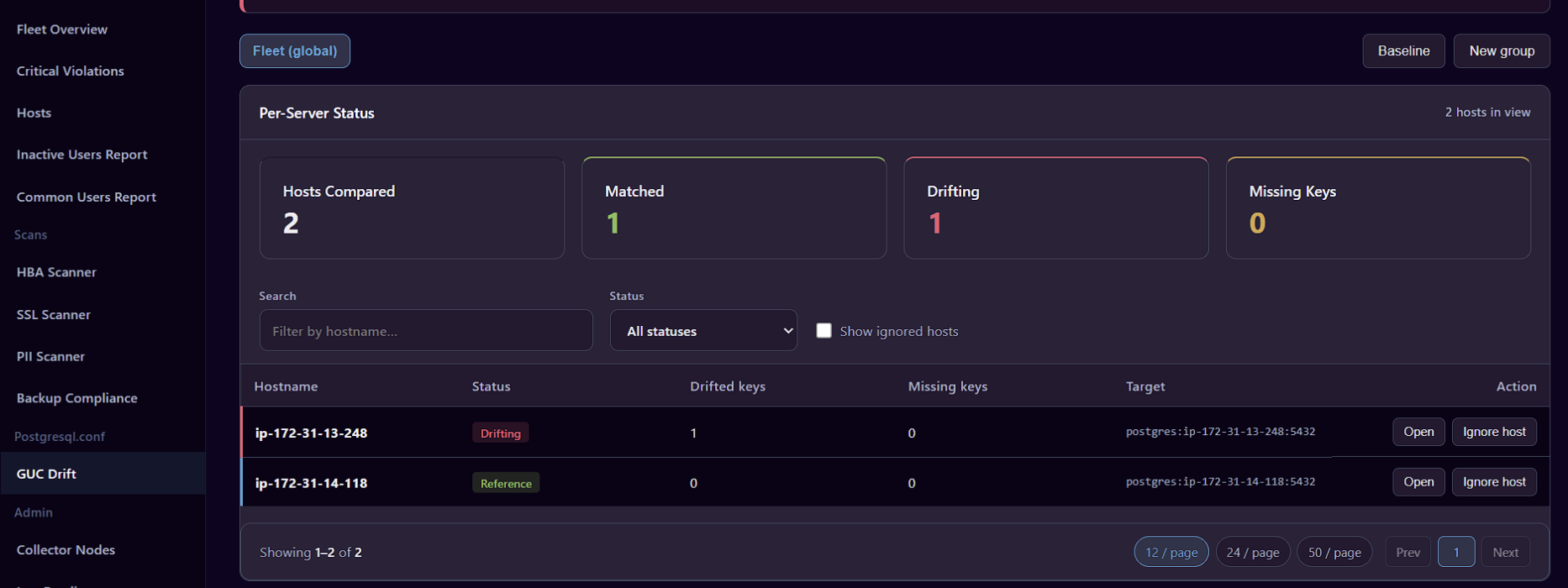
As expected below dashboard shows one result for drift .. Click “Open” in that record to see the details of drift
Scenario 3 - Detect Multiple Configuration Differences
Objective
Verify that multiple configuration differences are detected correctly.
Test Setup
Chang multiple parameters on Server B (sample below):
| Parameter | Server A | Server B |
|---|---|---|
| work_mem | 4MB | 16MB |
| maintenance_work_mem | 64MB | 128MB |
| max_connections | 100 | 200 |
As expected below dashboard multiple config issues.. Click “Open” in that record to see the details of drift